License Activation
After installing Ostinato, you need to activate your license before you can use Ostinato.
Online Activation
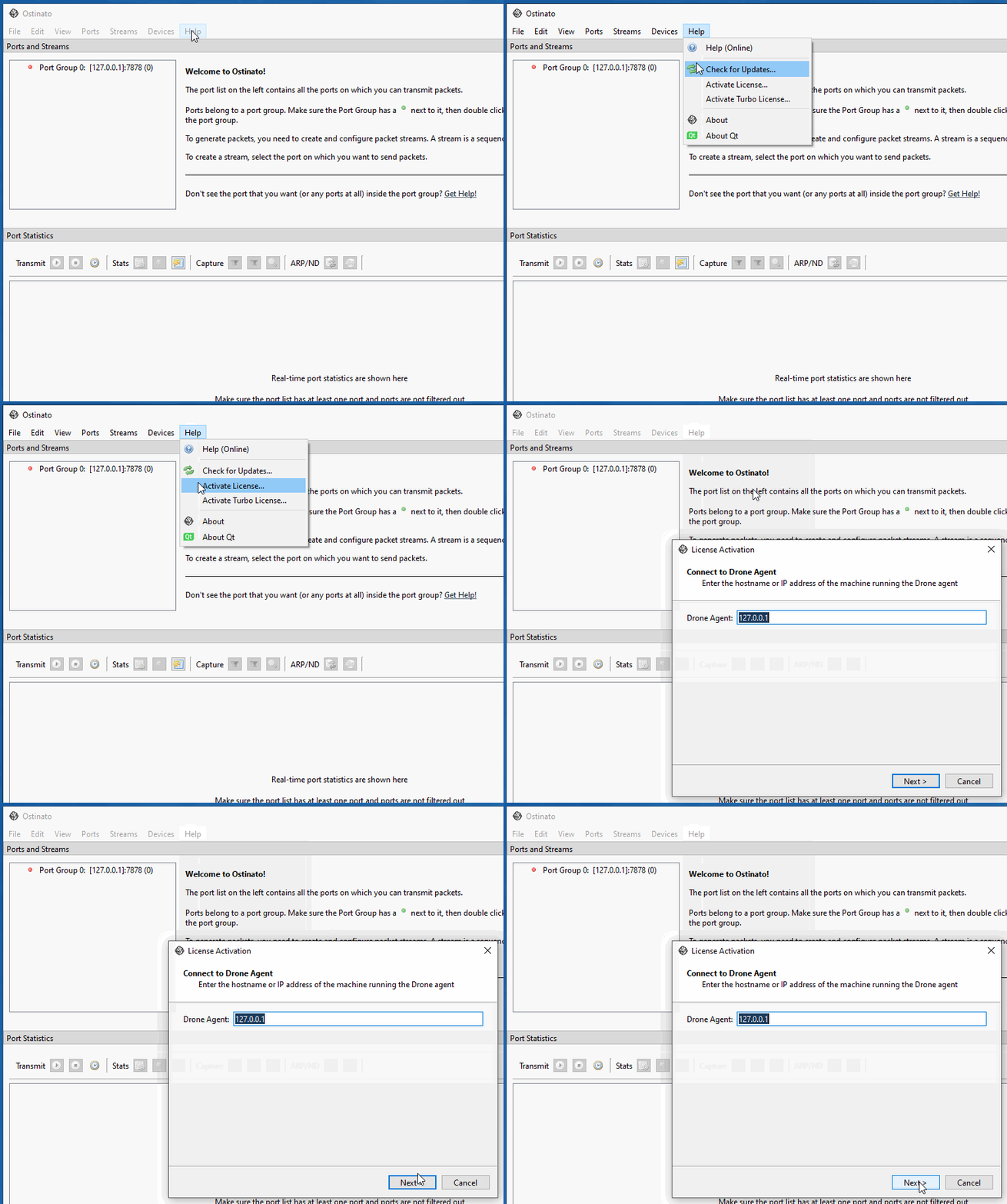
To activate your license, select Help → Activate License from the menu and follow the on-screen instructions.
- Launch Ostinato.
- Select Help > Activate License.
- Follow the instructions in the License Activation wizard to activate your license.
Offline Activation
Offline activation is intended for offline and air-gapped environments where Internet access is unavailable.
Note
Offline activation is available with the Business License Only.
Step 1: Generate Activation Hash
To activate your license in an offline environment,
- Run
drone -vand note the path to thedrone.inifile. - Edit
drone.iniand fill-in your License Key - Run
drone -ato display the activation hash - Email the activation hash to help@ostinato.org
Step 2: Get offline license file
The Ostinato support team will manually activate your license and email you back an offline license file.
Step 3: Save the offline license file
Linux
For Linux environments, you will receive a .lic file.
- Run
drone -vand note down the path to thedrone.inifile. - Save the
.licfile to the same path. - Restart Drone
Windows
For Windows environments, you will receive a .cache file.
- Save the file to
C:/Users/<USER>/AppData/Local/Ostinato - Restart Drone
MacOS
For MacOS environments, you will receive a .cache file.
- Save the file to
~/Library/Application Support/Ostinato - Restart Drone
Tip
The offline license file may expire sooner than your license subscription. This does not mean your subscription has expired. If your offline license file expires, contact help@ostinato.org to request an updated offline license file.